
This lesson takes the same demo used in the previous lesson to illustrate input controls & @Binding
I opened up the app to toy with those stars, start giving the recipes new approval metrics…
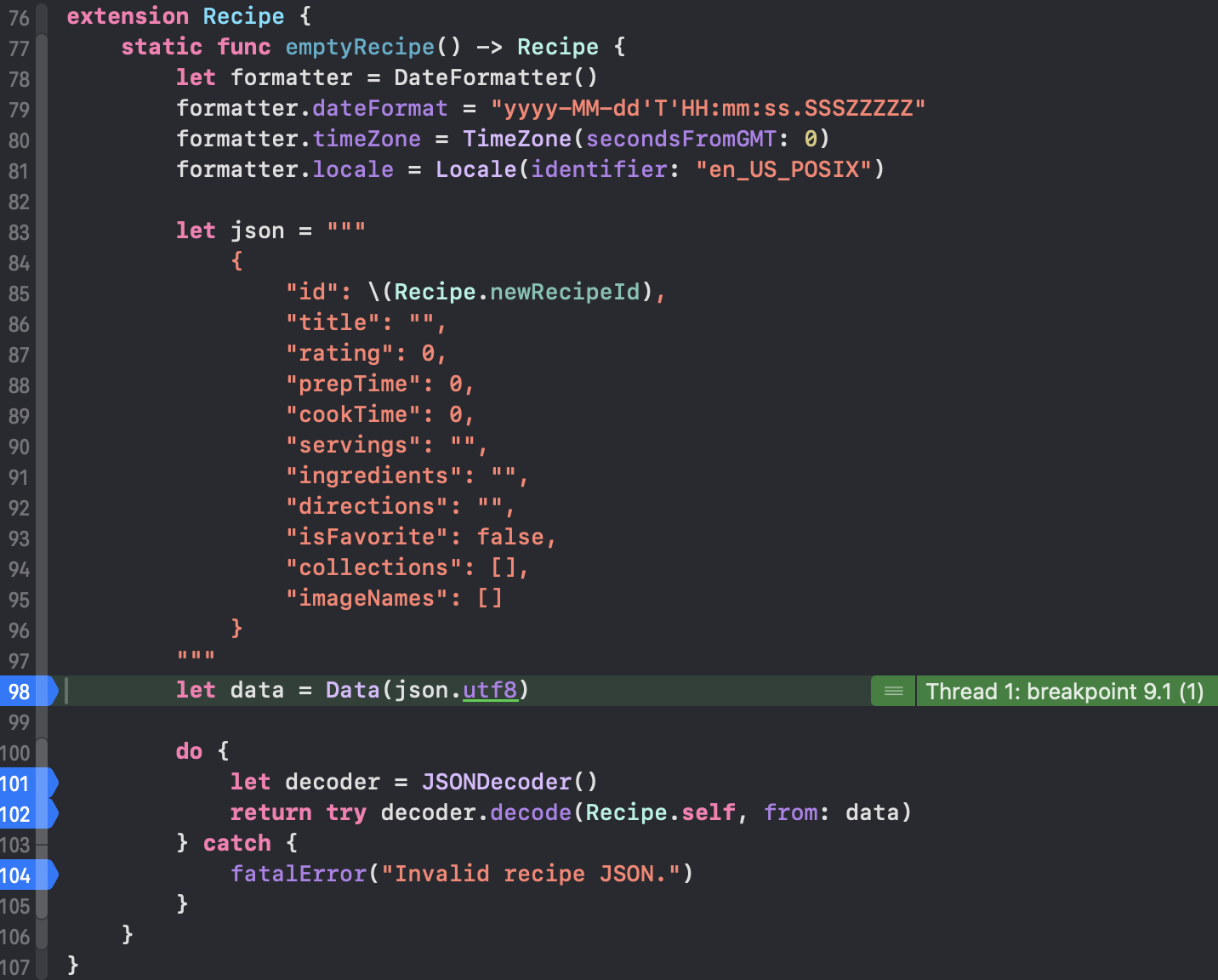
Some breakpoints I had forgotten about were active on the Recipe struct. Each time I updated the recipe, the actual Recipe struct would update also from inside the emptyRecipe extension?? 🤔
Why is this extension function for new recipes firing given we are updating an existing recipe?
The other weird thing, while I had breakpoints activated inside DetailView, to try and learn why the emptyRecipe extension was fired and run through memory.
If you have breakpoints placed inside Recipe extension static func emptyRecipe, when running the app you will discover this function is fired first, before any method that called this function. I don’t like that. I don’t want to get sucked into a rabbit hole so let me try to display quickly.
They have Experiments where they suggest we change the SFSymbol Image, or change the foregroundColor. Do it! Make it whatever you want- triangle & green if you are still stumped after taking Apple’s suggestion.
Looking at Section 2, they mention the tap gesture that drives action for the star/circle/triangle to get a fill or not. I could envision how the system may want to update & save when a user interacts with this view. It is not a best practice, meaning the system is making a few unnecessary operations which may now or in the future impact performance in the app an on the device. Does that make sense?
We have Section 3, which attempts to tie things together. I tapped around the View, it would fire my breakpoints on emptyRecipe, I’d say what the hell? It works, but this other function is distracting. Turn off breakpoints there for now– so my breakpoints are off on Recipe.swift- but they still kind of went crazy in DetailView.swift. They seemed to repeat 8 times when I clicked in and then StarRating had breakpoints that fired 8 or 11 times, back to DetailView another 12 ish times and finally the render came through.
Updating the recipe at that point seemed to refresh all the ratings for reach recipe. The weird point is, the recipeID stayed the same:

So what is happening under the hood? I have no idea now- this tutorial challenged my comfort with SwiftUI. It feels as though they tried to make an amazing cake, put too much stuff in and now it’s not so great. I want to hurry up, wrap the final lesson and have my retro where I can explain between tutorial 1 and tutorial 2, I think you, whoever is in Internetland reading, knows where my feelings about this are. Maybe if I ignored the breakpoints things would have been fine, but I feel as though once you see some activity is wrong and should not occur, it would also be wrong to not call it out. Maybe I am misinformed about SwiftUI in this demo- but I hope someone can send me a message and tell me what I am doing wrong.
 mvilabrera