
Hey there!
If you are interested in following along with me, you are probably curious as to what equipment you will need. We need at least 16 GB of RAM, a machine that runs macOS Ventura & Xcode 15. If you could get a machine with more RAM, a newer operating system than Catalina & a more recent version of Xcode that would be fantastic.
They have us create an app ‘Landmarks’. I wanted to make it a bit more interesting for me, so I made minor changes to some names of the app. The design and architecture will remain the same so we can still look at what Apple provides and make progress. Materials I modified will be shared in a Dropbox link.
In the first lesson, we navigate to create a new project, and use the template to first select ‘iOS’ then ‘App’

Be careful~ it is possible your template editor is set to macOS. Double check that second line with the filter bar 💡
The app they have us build is called ‘Landmarks’. I’m making a clone here called ‘Spotz’.
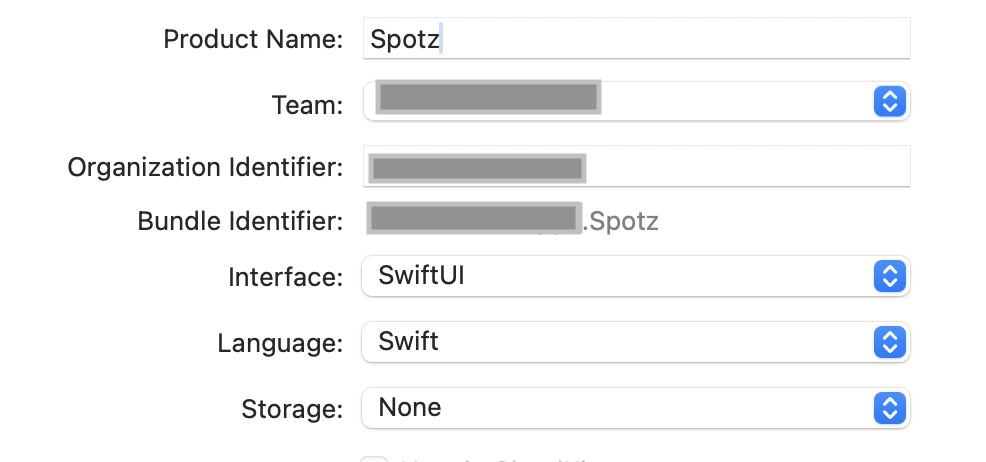
Usually, we want to take note of the Team, Organization Identifier & Bundle Identifier. For this lesson, we are going to skip focus here. Write what you will & press ‘Next’
Here is a link to the tutorial. Later, I will share how I designed my app differently.
In ‘parkData.json’ all the park locations changed to ones around Queens, with photos.
 mvilabrera